Hero background
Company ManagementProject & Site Management

Complete Accounts & System Administration in One Platform

Realitix's Accounts & System Administration module closes that gap. It brings billing, GRN tracking, user and vendor management, material and unit setup, notifications, and payment configuration into one connected system.
Invoice: Every Bill, Traceable to Its Source

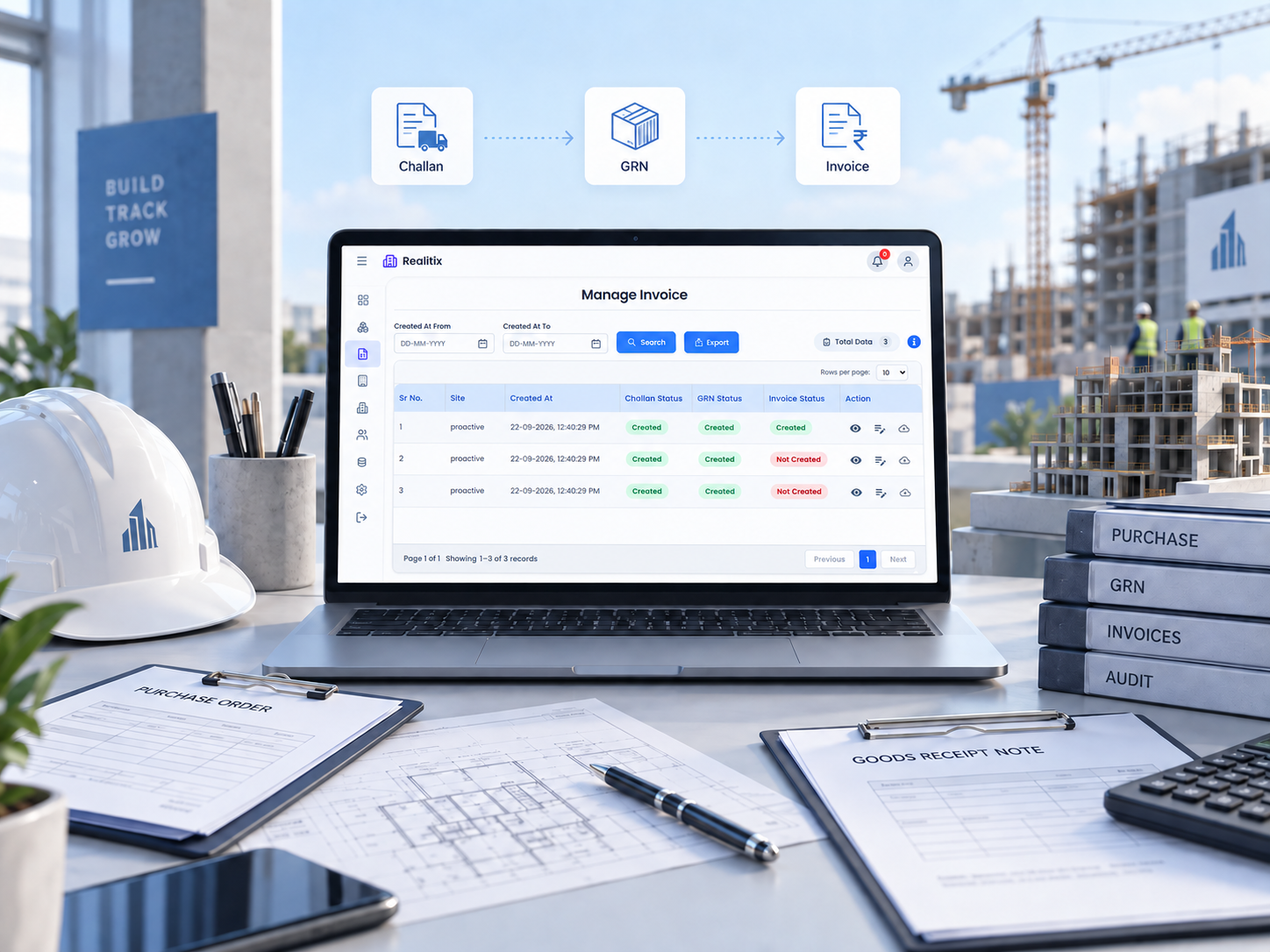
Invoicing on a construction site rarely involves just one document. There's the challan, the GRN it's linked to, and the invoice status that determines whether payment moves forward. The Invoice module manages all of it together: you can request or view invoices, check their status against the related challan and GRN, and export the data whenever finance needs it for reconciliation or reporting.

  • Manage site invoices with linked challan and GRN details
  • Track real-time invoice status
  • Request or view invoices from one place
  • Export invoice data for finance and audits
Invoice: Every Bill, Traceable to Its Source

GRN: Confirming What Actually Arrived

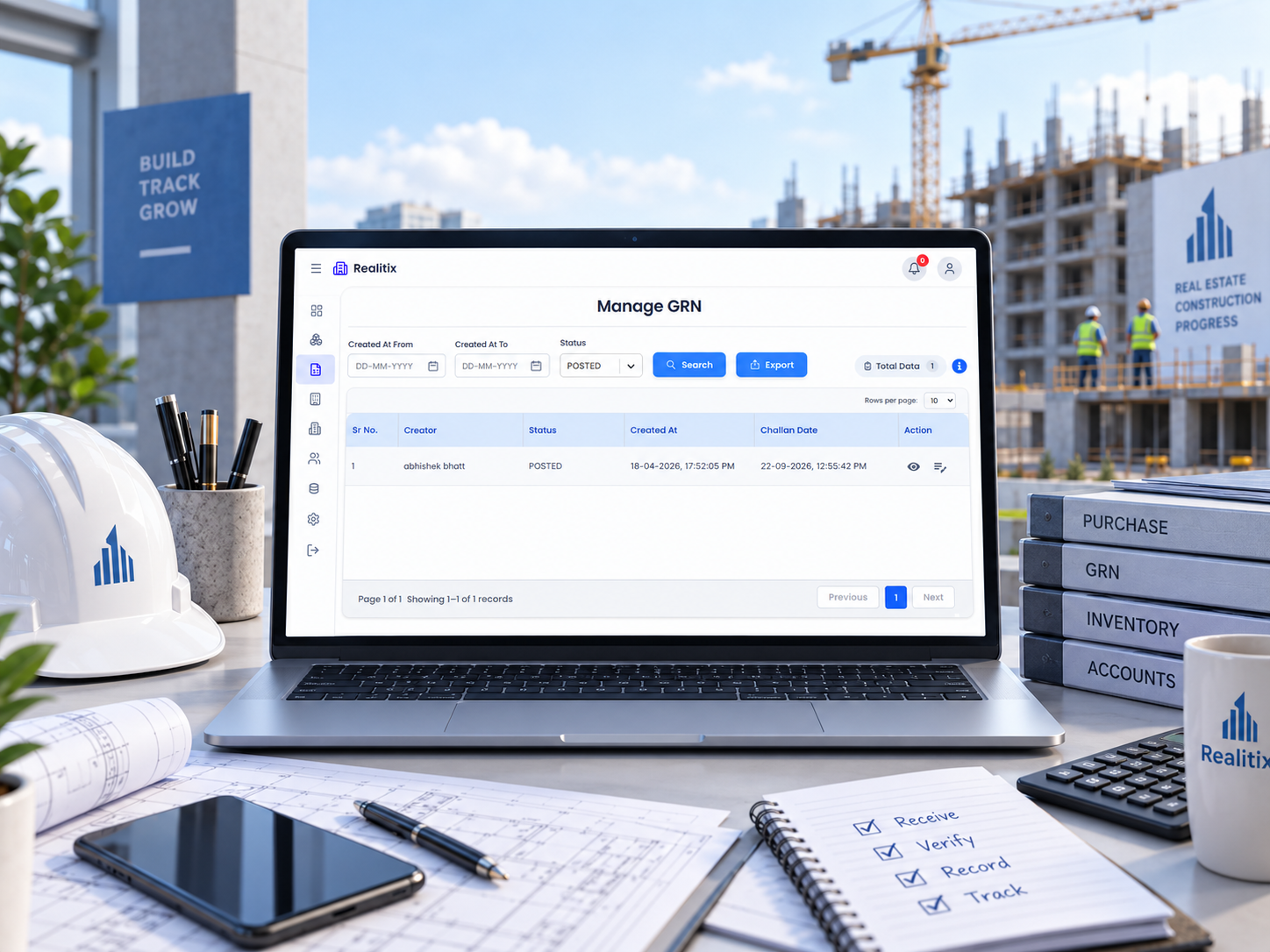
A Goods Received Note is only useful if it's updated the moment material actually reaches the site, not days later from memory. The GRN module lets you update GRNs against material requests, preview the challan before confirming, and attach reference numbers with instructions so nothing gets logged incorrectly.

  • Update GRN directly against the material request
  • Preview challan before confirming receipt
  • Add reference numbers and instructions for accuracy
  • Keeps invoicing and inventory data aligned
GRN: Confirming What Actually Arrived

Manage User: Controlling Who Sees and Does What

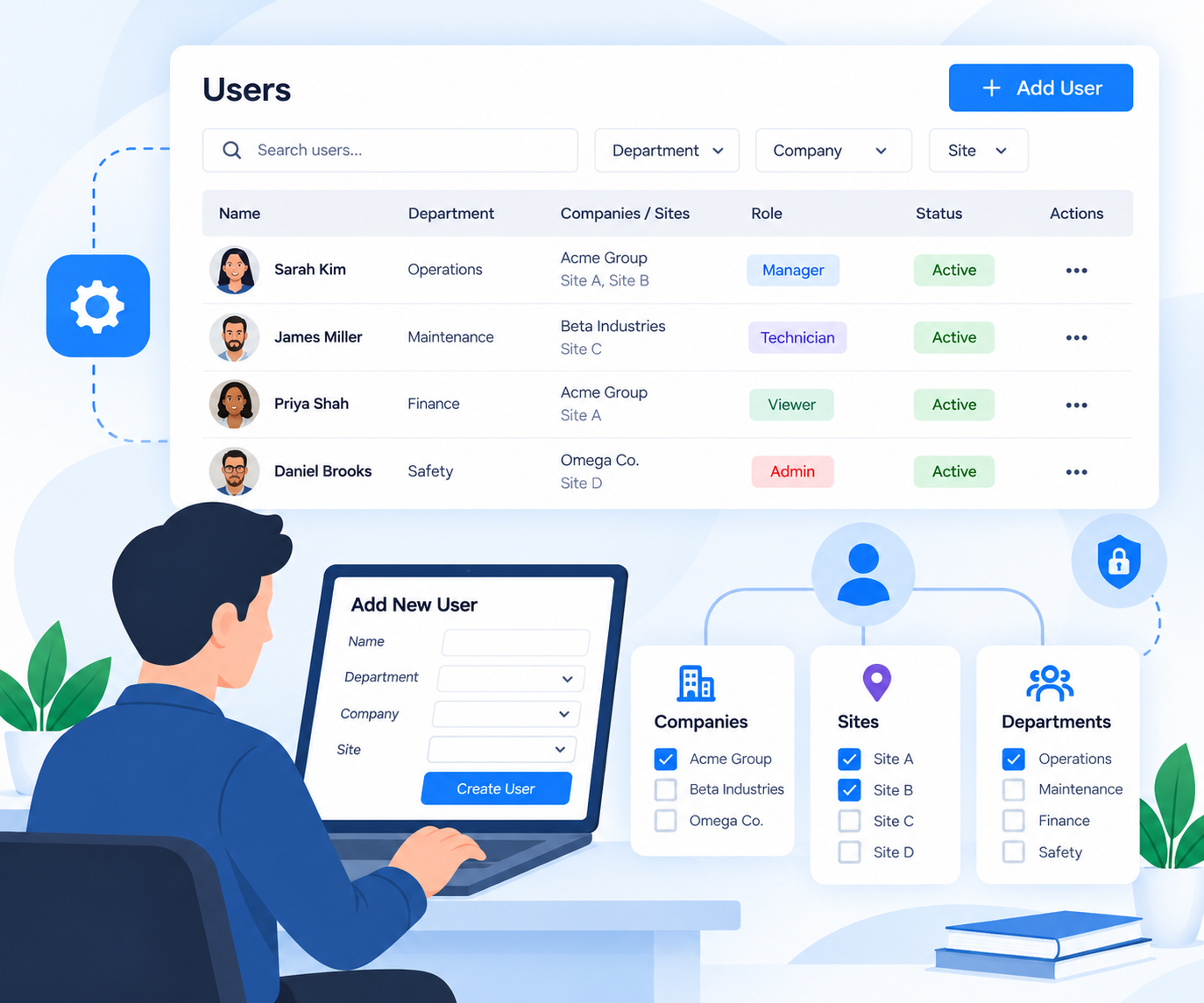
As a team grows across multiple sites, access control stops being optional. Manage User lets you create users, assign them to the right department, and link them to the specific companies and sites they should have visibility into nothing more, nothing less.

  • Create and onboard new users
  • Assign users to departments
  • Link users to specific companies and sites
  • Keep access limited to what each role actually needs
Manage User: Controlling Who Sees and Does What

Manage Vendor: One Record for Every Supplier

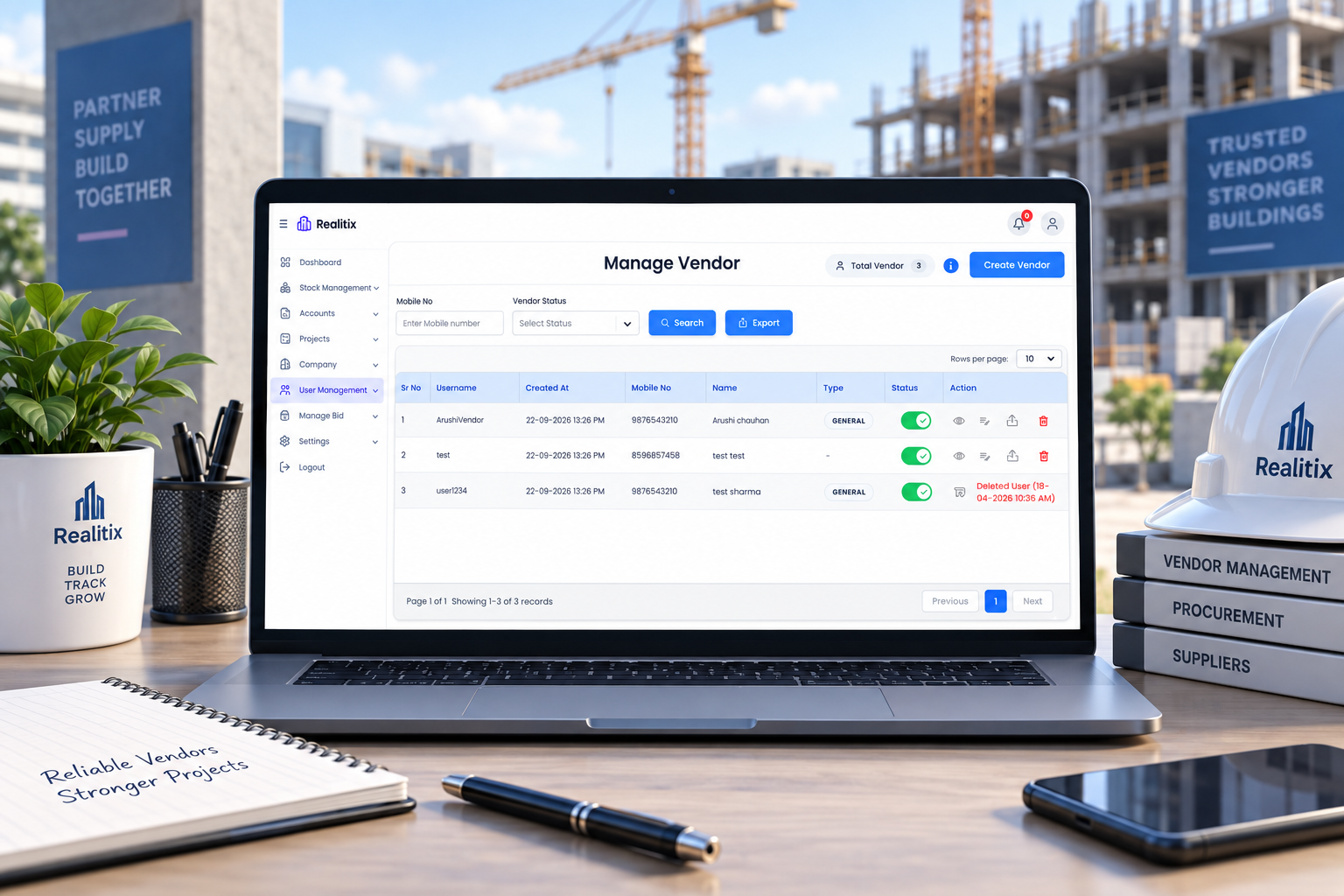
Vendors are core to procurement, yet vendor details often live in disconnected contact lists. Manage Vendor lets you onboard vendors under General or Premium categories and export their purchase records whenever needed for comparison, audit, or renewal decisions.

  • Create and onboard vendors (General or Premium)
  • Maintain complete vendor profiles in one place
  • Export vendor purchase history and records
  • Supports better vendor evaluation over time
Manage Vendor: One Record for Every Supplier

Manage Material: A Clean Material Master

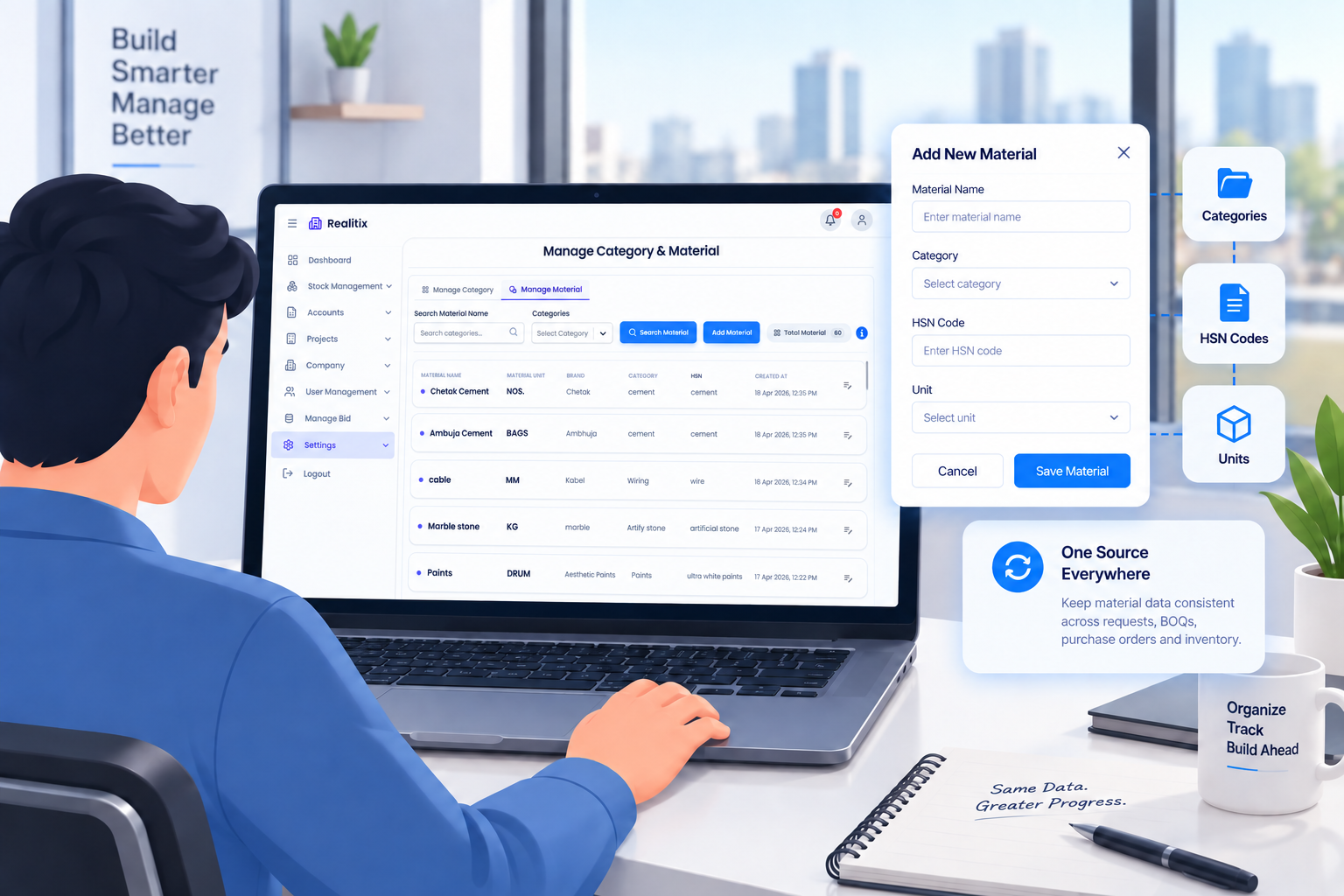
Every material request, BOQ, and purchase order depends on accurate material data. Manage Material lets you create materials and categories along with their HSN codes and units, so every downstream document pulls from the same consistent source.

  • Create materials and categories
  • Assign HSN codes for tax accuracy
  • Define units against each material
  • Keeps material data consistent across the system
Manage Material: A Clean Material Master

Manage Units: Keeping Measurements Standard

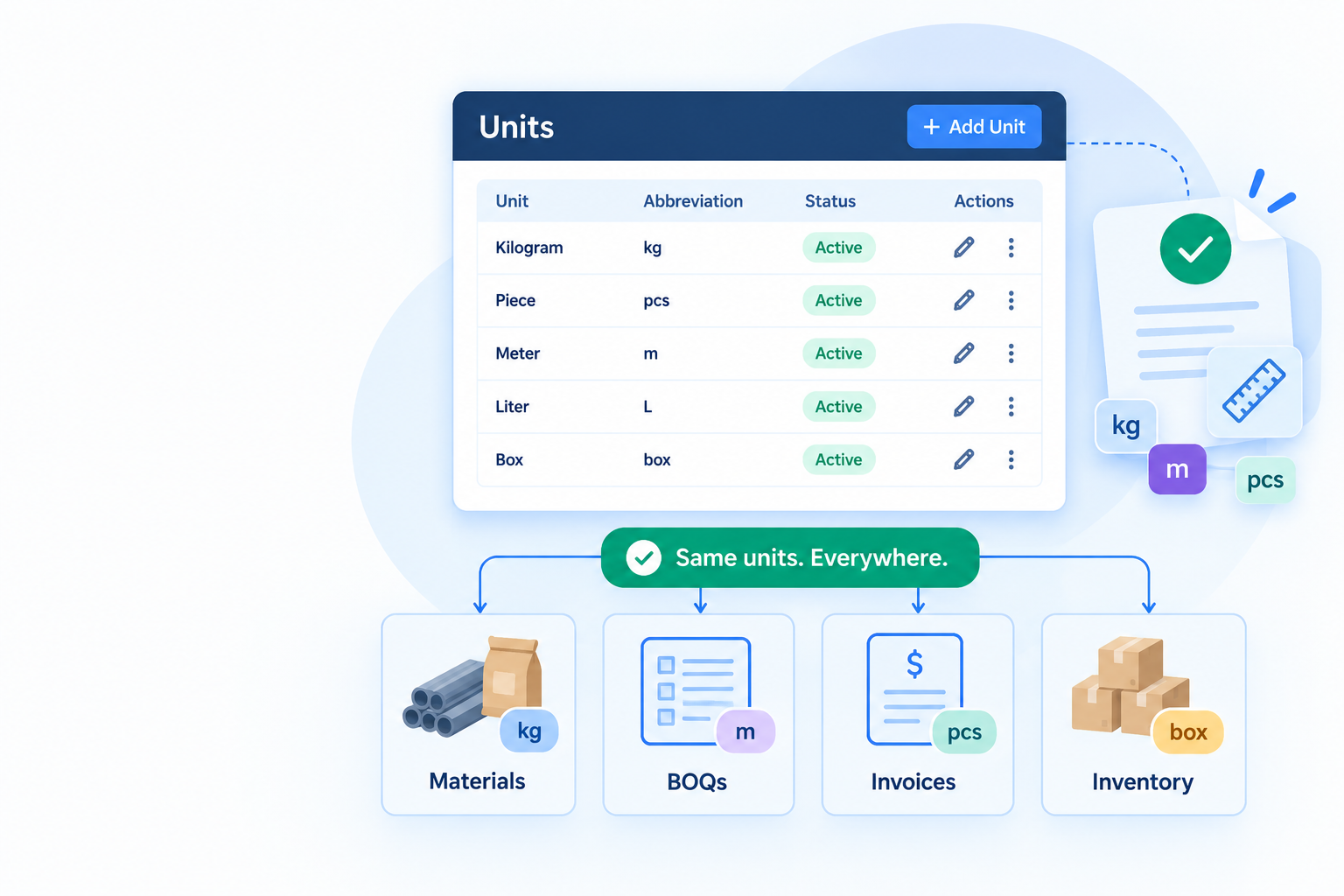
Units seem like a small detail until inconsistent ones start causing quantity mismatches between requests, invoices, and inventory. Manage Units lets you create, manage, and update units centrally, so every material and BOQ entry uses the same standard.

  • Create new units as needed
  • Update existing units without disruption
  • Ensures consistency across materials and BOQs
Manage Units: Keeping Measurements Standard

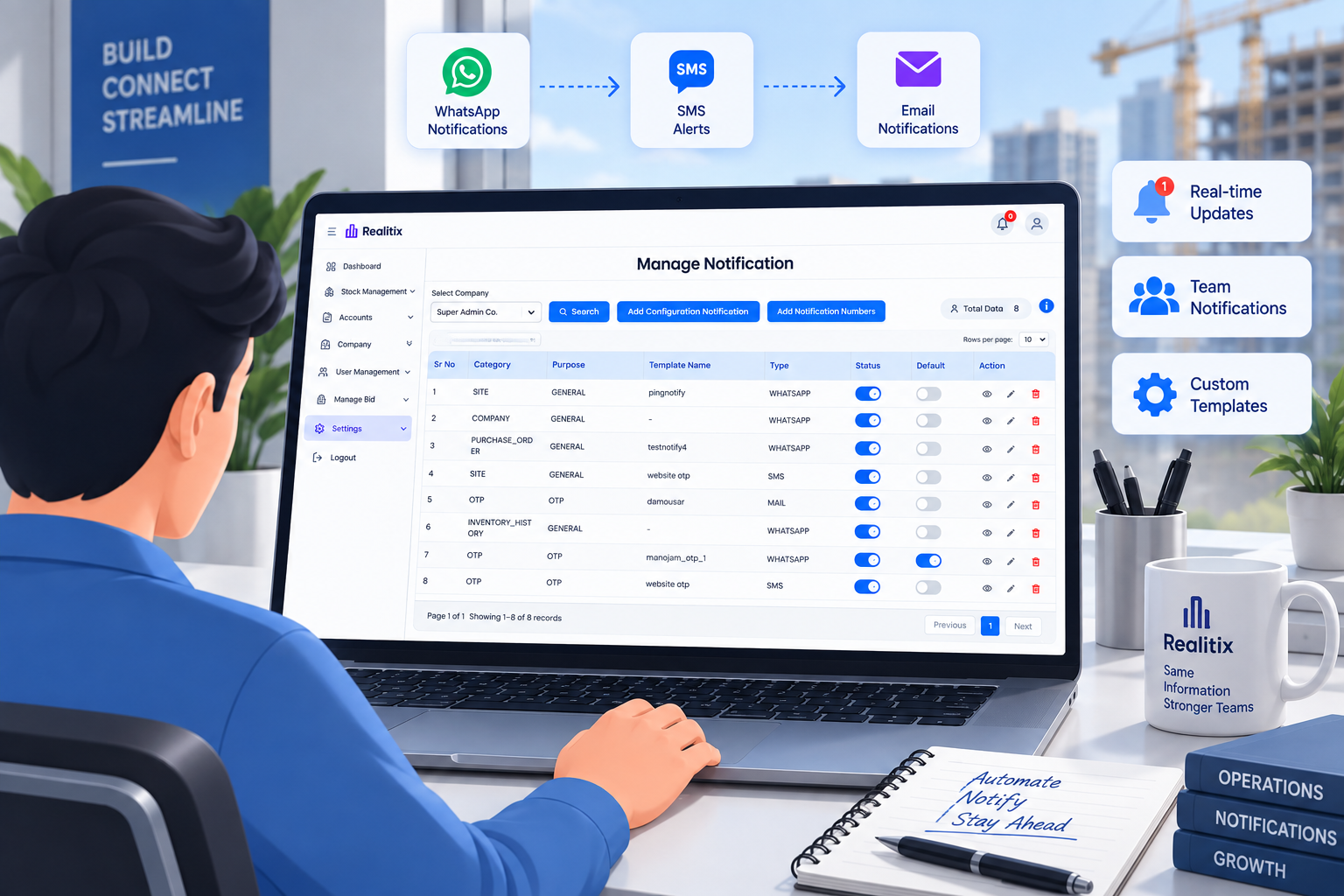
Notifications: Keeping Everyone in the Loop Automatically

Manual follow-ups a call here, a reminder message there don't scale once a business is running several sites. Notifications let you configure WhatsApp, SMS, and email templates, and automatically notify users and vendors on key updates without anyone chasing it manually.

  • Configure templates across WhatsApp, SMS, and email
  • Automate updates to users and vendors
  • Reduces manual follow-ups and missed communication
Notifications: Keeping Everyone in the Loop Automatically

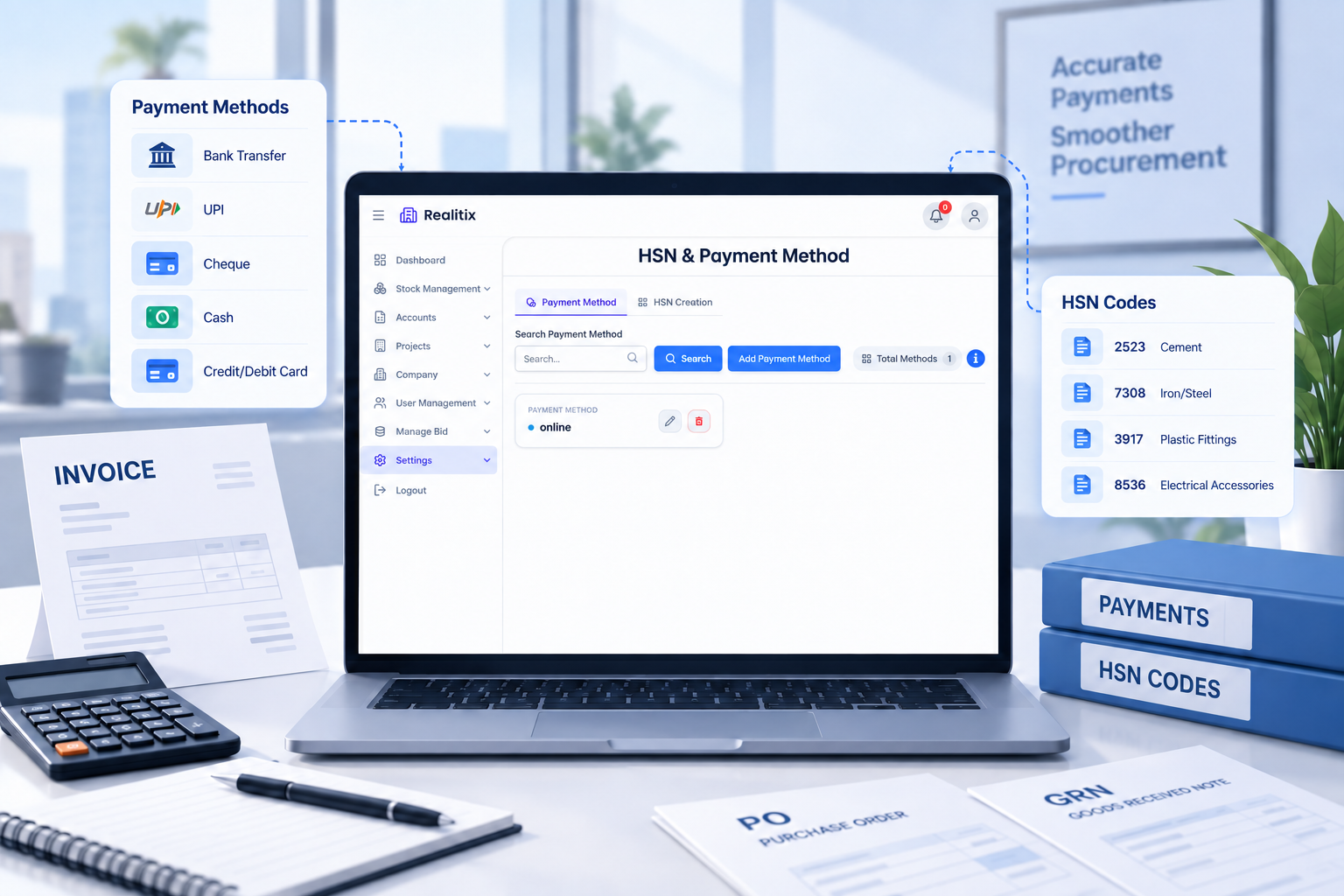
Payment & HSN: Getting the Finance Basics Right

Behind every invoice and purchase order sit two details that need to be accurate: how payment is made and how tax is classified. Payment & HSN lets you manage payment methods and HSN codes centrally, so they stay consistent across invoices, purchase orders, and materials.

  • Manage available payment methods
  • Maintain accurate HSN codes
  • Ensure consistency across invoicing and procurement
Payment & HSN: Getting the Finance Basics Right

The Difference Is Connection

Why This Module Changes How Admin & Accounts Actually Feel

Individually, none of these pieces are complicated. What changes the experience is that they're connected. An invoice links back to a GRN, which ties to a vendor and a purchase order. Every user action, every material entry, every payment — all recorded against the same source of truth, so nothing slips through when your business starts to scale.

Before

Scattered invoices and manual matching

No visibility into vendor history

User roles and permissions all over the place

Payments tracked outside the system

With Realtix

One connected financial flow

Complete vendor & material history

Controlled user access

Payments linked to real site activity

Built for every real estate team.
Start using today.

FREQUENTLY ASKED QUESTIONS

Everything you want to know explained clearly